I spend more and more time at my computer these days, doing everything from writing lessons & curriculum to creating materials for the classroom to managing finances to working on contracted jobs. I put a lot of miles on my computer, but it keeps trodding along. With all I have to juggle, it is important I stay organized and on top of things.
HOW I STAY ORGANIZED
Staying organized is highly necessary to get my work completed timely. There are many avenues I use to manage what seems like an ever-growing to-do list. Three of my of favorite time management tools are Trello, phone lists, and the old trusted, hardcopy monthly planner with Post-It Flags.
TRELLO
Staying organized is highly necessary in getting my work done in a timely manner. It’s FREE and you can add multiple lists and boards. I have 3 personal boards and 3 boards that clients have shared with me to work from. Like everything, it takes some time to get acclimated to the program, but once you do, things will begin to run smoothly. Here is what I use Trello for:
- Plan out tasks that need to be completed Monday thru Sunday.
- Set certain tasks to repeat every week or month so I don’t have to continue to add them to my lists.
- Create detailed notes within the task cards to refer to, if needed.
- Identify high-priority vs. low-priority tasks.
- Keep a Contact Info board for those or companies I need to reach quickly.
- Download the app on my phone to add tasks if I am out and about.
- And more!
The greatness of this tool is you can move cards from one list to another—or board to board,—while giving you the option of sharing your board with teammates, and assigning tasks to team members. Once you get the hang of it, it is easy to use! All under a FREE account! I believe currently one can have up to five personal boards, but will need to upgrade to add custom fields and plugins, although you initially receive three free plugins with the free version. Honestly, I have not needed to upgrade in 10 years and have not found I needed the additional tools or add-ons.

CELL PHONE LISTS
Wouldn’t you know it, the best ideas are in the middle of the night or when I am away from my computer! The quickest way to note these ideas is to keep a list on my phone (if I don’t have time to add it to Trello), and then later, transfer it over to my Trello board. That last-minute lesson idea or appointment will not be forgotten!

SIMPLE CALENDAR WITH TABS
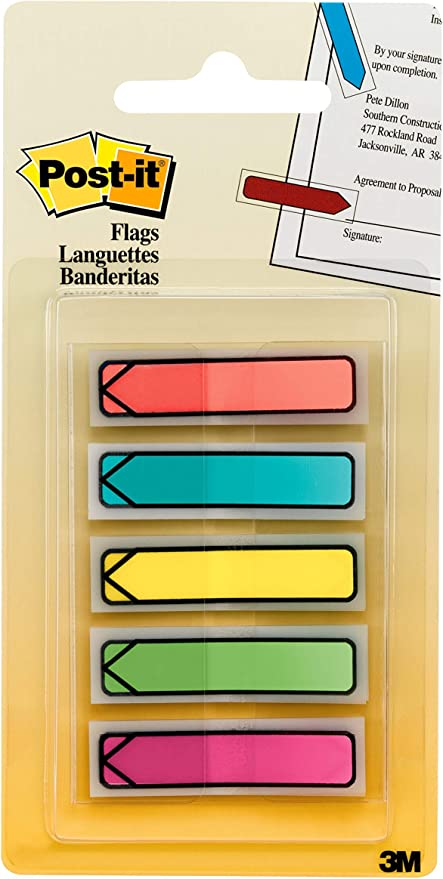
Yes, I still use the old, trusted monthly planner. I use it to provide me a visual while planning out the week or month. Each Post-it tab represents a different task:
- Blue: Appointments
- Orange: Lesson planning and other teacher tasks
- Yellow: 1099 jobs
- Pink: TpT Business
- Green: Other tasks
By having a visual of my week or month, I can see which days are heavy with tasks, allowing me to move tabs to other days so that I am not putting too much on my plate in one day. You may even consider using one color to schedule out downtime to recoup.

With all you, as a teacher, have to do, I know it is difficult to stay organized and on top of things. As teachers, there is always something to be done, and we can often feel like we are falling behind. One step at a time, one task at a time. Find a tool that works well to help you stay organized, plan out your weeks or months and stick to it as much as you can. Work into your schedule recovery time — you can’t give what you don’t have!
 Geography & Math Made Easy